
You put in the hours sourcing incredible inventory, setting up your studio, and bringing energy to every live sale. But if you are streaming to a small audience or waiting months for organic algorithms to notice your store, live selling can feel like an uphill battle.
That is where Scheduled Live Promos comes in.
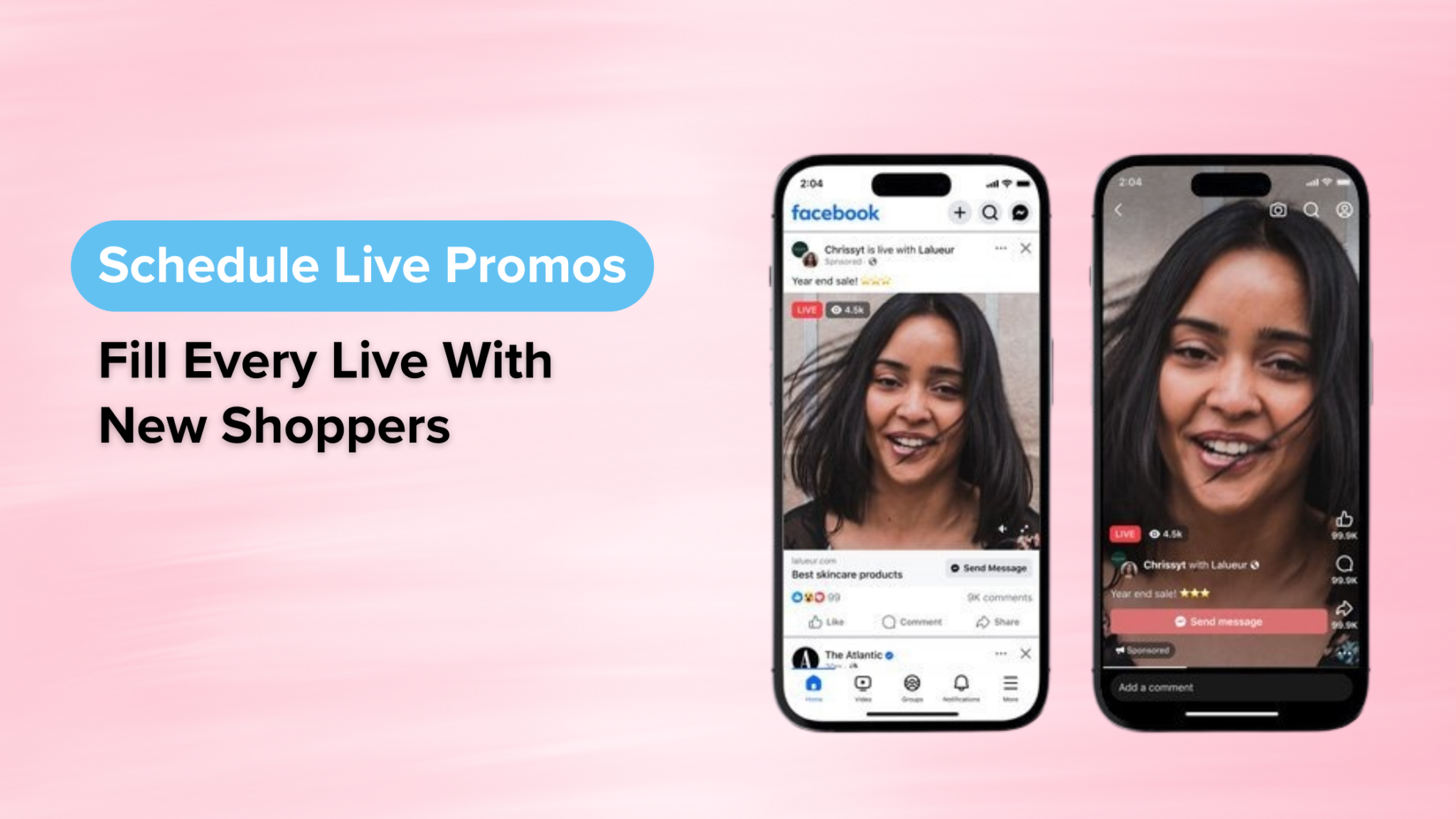
As CommentSold’s native dashboard integration powered by Meta Live Ads, Scheduled Live Promos lets you put targeted paid reach behind your broadcasts without ever leaving your CommentSold account. You can now turn any Facebook Live into an automated growth engine, pulling in fresh shoppers, pinning products on-screen, and driving real-time sales while you sell.
If you are looking to scale your online shop, here is why Scheduled Live Promos are one of the fastest ways to turn casual viewers into loyal buyers.
Get Eyes on Your Live, Even If You Are Just Starting Out
Building an initial audience from scratch is one of the single biggest hurdles for new e-commerce sellers. Going live to zero or just a handful of viewers is frustrating, but Scheduled Live Promos solve this “cold start” problem completely.
You do not need thousands of organic Facebook followers, a massive email list, or years of brand history to fill your stream. By launching a Scheduled Live Promo, you place your broadcast directly into the feeds of targeted shoppers who actively buy products like yours.
Even with a modest starting budget of just $20, you can bypass slow organic reach and get real, active eyes on your inventory from day one. It levels the playing field, allowing brand-new online stores to host live selling events that feel lively, well-attended, and profitable right out of the gate.
The Power of Meta Ads, Built Right Into Your Dashboard
In the past, running ads for a live broadcast meant jumping between Facebook, Meta Ads Manager, and your e-commerce platform. It was technical, time-consuming, and easy to mess up. Many sellers rely on a third party for assistance, but sellers can do it themselves.
Scheduled Live Promos simplify the entire process through CommentSold’s direct partnership with Meta. Everything happens inside one synchronized workflow:
Rapid Campaign Launch: Set up your campaigns, target demographics, and budgets directly in CommentSold in as few as three fields.
Instant Product Pinning: Sync your Meta Shop catalog so viewers can click on-screen product overlays and purchase items instantly during the stream.
All-in-One Analytics: Monitor concurrent viewers, comments, ad delivery status, spend, and sales side by side on a single dashboard.

Boost on the Fly or Plan Ahead
Every promotional strategy is a little different, which is why the Scheduled Live Promos integration offers two flexible ways to launch paid reach.
Option 1: Boost as You Go
Got an impromptu shipment or a sudden restock? When you start your stream, simply flip the “Boost Your Live” toggle during step three of your broadcast setup to put paid momentum behind your spontaneous live.
Option 2: Schedule Ahead
Planning a major weekend launch or themed event? Set up your promo budget, campaign goals, and targeting days in advance. When it is time to stream, plan to go live within a window of 60 minutes before to 20 minutes after your scheduled start time.
Pro Tip: Meta requires 2 to 3 hours of lead time to review and approve live ads before start time, so schedule your promotional events with a bit of advance notice.
High-Intent Traffic Meets High-Converting Channels
Traditional e-commerce websites sit at a modest 2% to 3% conversion rate. Live selling changes the math completely, with brands reporting conversion rates up to 30% thanks to real-time interaction, urgency, and live product demos.
Why the massive jump? Live streams create real-time urgency and trust. Shoppers get to see fit and fabric in motion, ask questions in the comments, and buy before items sell out. When you combine Meta’s targeted reach with live commerce, you are sending high-intent shoppers straight into your highest-converting channel at the exact moment you are selling.
How to Get Started in 5 Simple Steps
Setting up Scheduled Live Promos takes only a few minutes inside your CommentSold account:
Confirm access: Ensure your account has Meta Live Ads enabled.
Connect the app: Head to Live > Schedule Live Ads in your menu and link the app.
Select your Facebook Page: Choose the official Page delivering your stream.
Sync your Shop: Ensure your Meta Shop catalog and valid product images are synced for live product pinning.
Set your campaign goal: Choose between Increase Video Views for maximum reach or Increase Sales to optimize directly for purchases using your Meta Pixel.
Ready to Fill Your Next Stream With Buyers?
You already know how to host a great live sale. Scheduled Live Promos simply ensure that the right shoppers tune in to watch it, all managed from the same dashboard you use to run your business.
Whether you are launching your very first stream or scaling an established boutique, Scheduled Live Promos give you a reliable, repeatable system to grow your viewer count and your revenue.