
You already know which items are going to cause a frenzy the second you pull them out on camera. The one-of-a-kind pieces. The limited restocks. The things your shoppers have been DMing you about for weeks.
And right now, you’re probably selling them the same way you sell everything else. Whoever comments first, wins.
That’s about to change. Live auctions are now available in CommentSold, and they give your most coveted inventory the moment it deserves.
What Are Live Auctions on CommentSold?
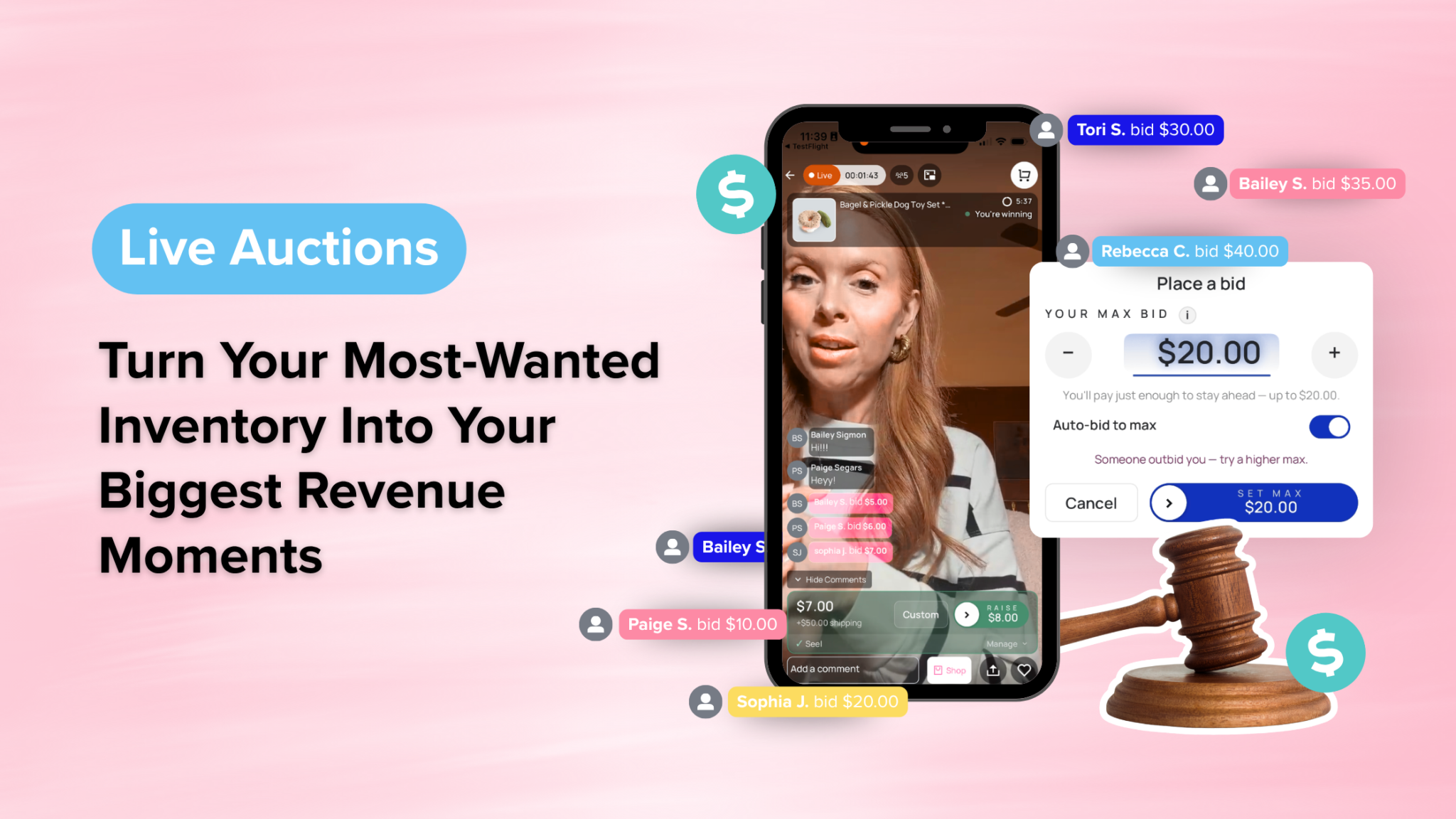
Live auctions let you run real-time bidding events directly inside your live shows on your CommentSold mobile app and webstore. Instead of selling a high-demand item at list price to the first commenter, you put it up for bid. As shoppers compete, the price climbs, and the highest bidder wins, automatically charged the moment the timer hits zero.
No manual tracking, no “who commented first” disputes, and no checkout follow-up. Just the most electric selling moment you’ve ever had in a live.
How Live Auctions Work During Your Show
Getting a live auction started takes less than a minute. Here’s how it works:
- Go live on your CommentSold app or webstore as you normally would.
- Select the item you want to auction from your Product Selection panel.
- Hit Start Auction in the auction panel. CommentSold automatically suggests a starting bid based on the product price, typically around half the list price. You can accept it or enter a custom amount.
- Set your timer and choose how long you want shoppers to compete.
- Watch the bids come in. Your dashboard updates with the current high bid, the high bidder’s name, total number of bids, and time remaining.
- The auction closes automatically when the timer ends. The highest bidder is charged instantly. No manual checkout needed.
Additionally, you can end a live auction early at any time, or cancel it entirely if you change your mind, which releases all bids and reserved inventory with no charge to anyone.
What Happens When Your Shopper Wins
The moment the timer hits zero, CommentSold handles everything:
- The winning shopper’s saved payment method is charged automatically
- They receive an order confirmation immediately
- The auction recap appears in your dashboard for quick reference
- You’re ready to start your next auction
Best of all, you can run multiple live auctions in a single show. Once one closes, simply select another item and start the next one. The momentum never has to stop.
Which Items Should You Auction?
Not every item needs to be a live auction. However, the right ones absolutely should be. Live auctions work best for:
- One-of-a-kind or sample pieces your community has been asking about
- Limited restocks where you know demand outpaces supply
- High-value items where shoppers would compete to own them
- Aged inventory that needs a boost. An auction creates urgency and excitement that a simple markdown never will.
- End-of-show closers to create a final burst of energy before you sign off
The competitive dynamic of bidding does something a standard sale simply can’t. As a result, shoppers feel the urgency in real time. When someone sees the price climbing and knows they might lose the item, that’s a completely different energy than a comment sale.
A Few Things to Know Before You Start
- Live auctions require Stripe or CS Payments. Shops using Square Pay are not currently eligible.
- Only one auction can run at a time. In addition, other products cannot be scanned or shown in the overlay while an auction is active.
- Live auctions are available on your CommentSold mobile app and webstore only and are not visible on external social platforms.
- If a team member needs to manage auctions, make sure they have the Manage Auctions permission enabled in their account settings.
- Items shown in a live auction are automatically marked as Final Sale unless you manually uncheck that option before starting.
Frequently Asked Questions
Do I need to set up products differently to use live auctions? No. You can run a live auction on any available inventory item during your show. No special product setup or pre-configuration required. Simply go live and select the item you want to auction.
What happens if no one bids? If the auction ends without any bids, no charge is made and the inventory is released. As a result, you can simply move on to your next item or end the show as normal.
Can I cancel a live auction if something goes wrong? Yes. Selecting Cancel Auction clears all existing bids, releases the reserved inventory, and ends the auction without a winner. No shoppers are charged.
Are live auction bids visible to shoppers watching the replay? Auction product overlays do not appear in live replays and auction participation is disabled for replay viewers. However, bid comments and auction-related chat messages will remain visible in the comment feed.
Can I run live auctions on TikTok or Facebook Live? Live auctions are available on your CommentSold mobile app and webstore only. Therefore, they are not visible on external social platforms.
Learn More About Live Auctions
Ready to go deeper? These help articles walk you through everything you need to know:
- Auctions: The Customer Experience
- Running A Live Auction
- Auction Functions: Before You Start
- Troubleshooting Live Auction Prompts & Errors
Ready to Run Your First Live Auction?
Live auctions are live in your CommentSold account now. Head to your Live Overview or Multisource Live dashboard to get started. No setup required beyond making sure your app is updated to version 4.7.0.
Your best inventory has been waiting for this moment.