You hold up the one piece everyone’s been asking about. The timer starts, bids start climbing, and the comments go wild. A few seconds later, the clock hits zero and someone’s thrilled they won it. That’s the energy of a live auction, and it’s one of the most fun moments you can create on camera.
If you’ve been thinking about your first live auction, this guide puts everything in one place. You’ll learn what gear you actually need, which items to auction, how to get bidders to show up, and exactly what to say once you’re live. Best of all, you don’t need a whole auction show to start. A few hero pieces inside a regular live sale is plenty.
What a Live Auction Is (and How It’s Different From a Regular Live Sale)
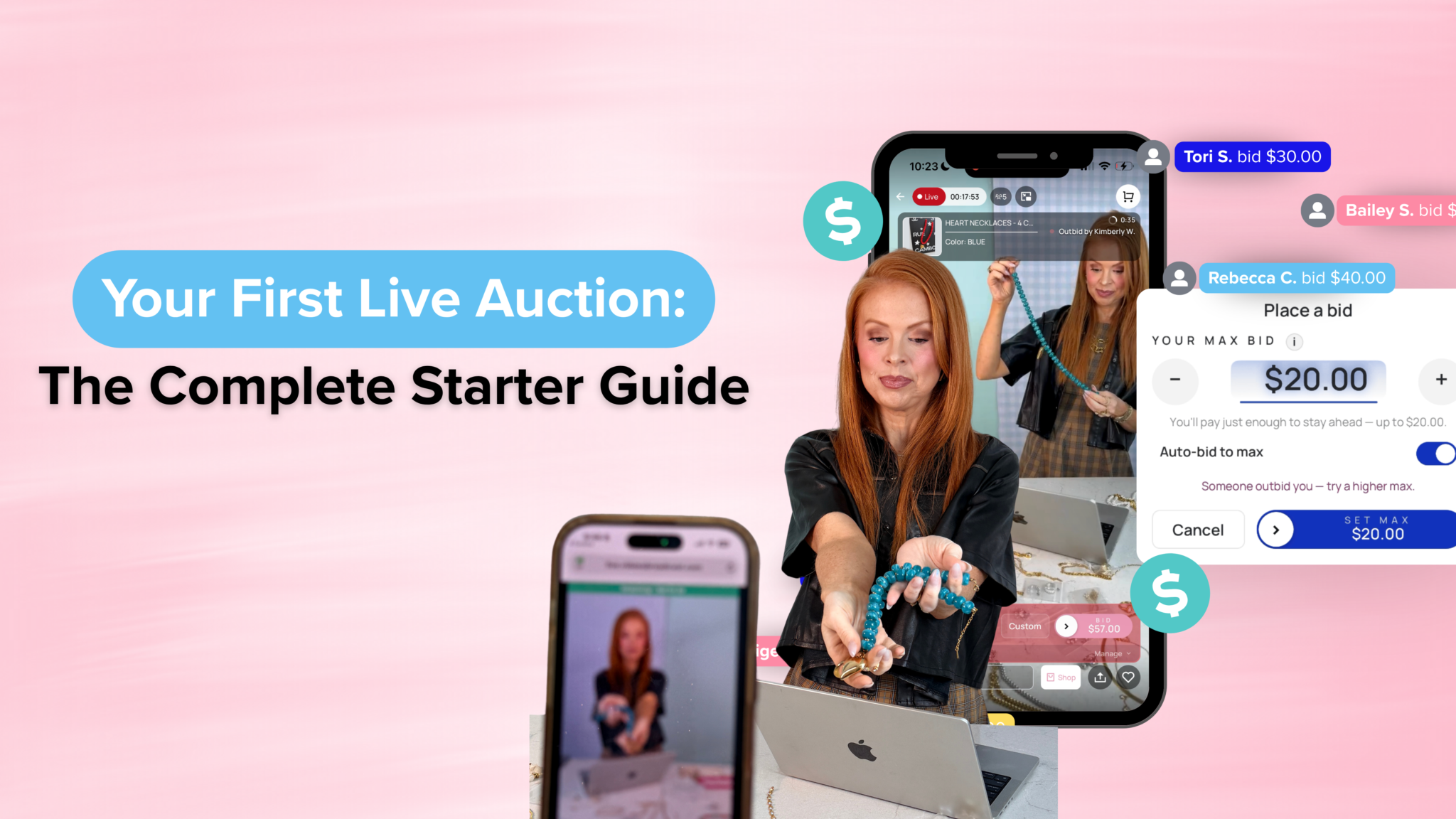
A live auction is a timed bidding event you run during a livestream. Instead of selling an item at a set price to the first shopper who comments, you open it up for bids. When the timer runs out, the highest bidder wins.
On CommentSold, Live Auctions run inside your branded mobile app and webstore. Shoppers bid in real time, and when the timer hits zero, the winner is charged automatically, so there’s no tracking who commented first and no chasing payments afterward.
| Regular live sale | Live auction | |
| How the price is set | You set it | Set a minimum, and bids set the final price |
| Who gets the item | The first shopper to claim it | The highest bidder when the timer ends |
| Where shoppers buy | Your social channels, app, and webstore | Your app and webstore only |
| Best for | Most of your inventory | Rare, limited, or high-demand pieces |
That third row is the big one. Your Facebook or TikTok stream can still show your video, but bidding happens only in your app and on your webstore. As a result, the real prep for your first live auction is getting bidders into your app before you go live.
What Equipment You Need for Your First Live Auction
You don’t need a studio. In fact, you can run your first live auction with gear you probably already own, plus one or two inexpensive add-ons. Here’s the budget setup:
- A phone for streaming. Your phone’s camera is plenty. Clean the lens and shoot in good light, and it will look sharper than you expect.
- A second device to run the show. Use a laptop or tablet to manage your live from your CommentSold dashboard, where you’ll start each auction and keep an eye on comments and bids.
- A tripod or phone stand. Steady video looks professional and frees up your hands to show off each piece.
- Good lighting. A ring light works well, but a big window during the day is free and flattering.
- A strong internet connection. Choppy or blurry video usually means an unstable connection, so stream close to your router or use a wired connection if you can.
- A simple display area. A clothing rack, a clean table, or a styled backdrop keeps the focus on the product.
You can skip the professional camera, the fancy microphone, and the elaborate set for now. Upgrade once you know what your shows actually need.
One quick tech check before your first show: make sure your CommentSold app is up to date.
What to Auction and How Many Items to Start With
Not every item belongs in an auction. The best auction pieces are the ones shoppers would compete for anyway, such as:
- One-of-a-kind pieces, like a sample, a vintage find, or a final unit
- Limited drops that you know will sell out
- High-demand restocks of something that sold out fast last time
- The last one in a popular size, where everyone in the comments wants it
On the other hand, everyday basics with plenty of stock usually sell better at a set price. If ten people want a tee you have 30 of, a regular claim sale makes all ten happy.
For your first show, start with three to five auctions inside a regular live sale. Only one auction can run at a time, so each one takes a slice of your show. A handful gives you enough practice to find your rhythm without wearing out your viewers. Space them out, too. For example, open with a regular item or two, run your first auction once viewers have joined, and save your most-wanted piece for later in the show to keep people watching.
When it’s time to set a starting bid, CommentSold suggests one based on the product price. A lower starting bid usually gets more people bidding early, and early bids build momentum for everyone watching.
How to Get Bidders to Show Up to Your First Live Auction
A great auction needs a crowd, and since bidding happens in your app and webstore, your promo has two jobs: get people excited, and get them into your app before the timer starts. Here’s a simple countdown:
- One week out: announce the date. Post it everywhere you have followers, and pin it. Tell shoppers it’s an auction, because that alone creates buzz.
- Five days out: push the app. Put your app link in every bio and story. Make it clear that bidding happens in the app, so anyone who wants a shot needs to download it first.
- Three days out: tease the pieces. Share photos or quick try-on videos of the items you’ll auction. Rare and one-of-a-kind pieces sell the event for you.
- Two days out: explain how bidding works. A short video showing how to open your app, find the live, and place a bid removes the biggest reason people sit out.
- Day of: remind, then remind again. Post countdown stories in the morning and an hour before you start.
- At go-live: send the alert. Send a push notification to your app shoppers the moment you start, and a Messenger notification to opted-in Facebook shoppers.
The app push in step 2 does double duty. Every shopper who downloads your app for the auction is someone you can notify about every show after it, too.
What to Say During Your First Live Auction
You don’t need to sound like a professional auctioneer. Instead, you need a few go-to lines so you’re never stuck wondering what to say next. Keep this script open on your second device during your first live auction, and swap in your own words as you get comfortable.
1. The welcome (first 2 minutes)
“Hey, hey! Welcome in, everyone. Tonight is extra fun, because we’re doing our very first live auction! If you want to bid, hop into our app or onto our website right now. That’s where all the bidding happens. If you’re watching on Facebook or TikTok, the link is in my bio. While everyone gets settled, let’s start with a couple of new arrivals.”
2. Introducing an auction item
“This is the one you’ve been asking about. It’s our [item], and it’s [what makes it special: one of a kind, the last one, a sample]. I have exactly one. Starting bid is [amount]. When I start the timer, place your bid in the app. The highest bid when the clock hits zero wins it!”
3. During the bidding
“We’ve got [amount] from [name]! Who’s going higher? Look at this fit, you guys.”
“If you’ve been thinking about it, now’s the time.”
“Last chance!”
4. The win
“And SOLD to [name] for [amount]! Congratulations! You’ll be charged automatically, so you’re all set.”
5. The bridge to the next item
“If you missed that one, don’t worry. I’ve got [number] more auctions tonight, and the next one is [tease]. First, though, let’s look at a few pieces you can grab right now.”
6. The close
“Thank you so much for hanging out and bidding with me tonight! If you’re new, turn on notifications in the app, so you’ll know the minute we go live again. Our next show is [day and time]. See you then!”
After the Auction: Wrap Up and Learn
The good news is that the hardest follow-up is already handled. Winners are charged automatically when the timer ends, so there are no invoices to chase. Instead, spend your post-show time on these steps:
- Ship auction wins fast. Winners are excited, so a quick turnaround turns that excitement into a five-star experience.
- Post a recap. Share the pieces that sold and a thank-you to everyone who bid. It builds buzz for next time without needing a replay of the bidding itself, since auctions don’t run on replays.
- Track a few numbers. Note how many people bid, how many new app downloads you got, and how final bids compared with starting bids.
- Pick your next date. Announce it while the energy is still high.
After your first live auction, those numbers tell you what to adjust. For instance, if bids jumped well past the start, you can try a higher starting bid next time. If only a few people bid, put more effort into the app push before your next show.
Frequently Asked Questions
Can people bid from Facebook or TikTok?
Not right now. Your social streams can show the video, but bidding happens only in your CommentSold app and webstore. That’s why it helps to share your app link in your bio and remind viewers throughout the show.
Can I run more than one auction in a show?
Yes. Only one auction runs at a time, but as soon as one ends, you can select another item and start the next.
Do I need to set up auction items before I go live?
No. You can launch an auction on any available inventory item right from your live dashboard, and CommentSold suggests a starting bid based on the product price.
How many items should I auction in my first live auction?
Three to five is a comfortable start. Run them inside a regular live sale, space them out, and save your most-wanted piece for later in the show.
Ready to Hear “SOLD!”?
Your first live auction doesn’t have to be perfect. It just has to happen. Pick a few pieces worth fighting over, get your shoppers into your app, and keep this script close by. Before long, the countdown will be the part of your show everyone waits for.
When you’re ready to start the bidding, see how Live Auctions work on CommentSold →